HRMS BRDS is a human resource management system used by Bihar Government Employees. It helps to manage multiple HR processes and reduce paperwork. It is a single platform offering better data accuracy and more transparency. The HRMS BRDS is built on the PeopleSoft platform, making it user-friendly. It helps employees and management staff to access important HR services effortlessly. Users can easily check their attendance, submit timesheets, and get the payroll details with simple clicks.
In this article, we will learn more details about HRMS BRDS, the login process, etc.
HRMS BRDS Login Process
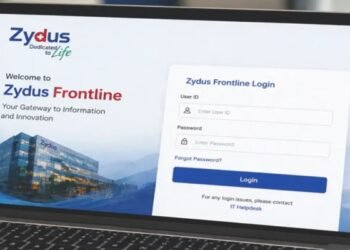
The HRMS BRDS is a simple and safe platform for Bihar government employees. You can easily log in to the portal using the simple steps below:
- Go to the HRMS BRDS portal using any browser, or simply click https://brdshrms.bihar.gov.in/psp/peoplesoft/
- On the homepage, enter your user ID and login password.
- Enter the OTP you have received on your registered mobile number, or decode the captcha.
- You will be able to see your dashboard on the screen.
Attendance Management
It is very important for the employees and admin department to track the attendance accurately. Using the HRMS BRDS, the employees and management staff can easily track attendance using the below-listed features:
- Digital Clock-In and Out: You can mark the time you reach the office and the time you exit daily. It will help you ensure the work hours are recorded accurately. The platform reduces manual registration errors.
- Real-Time Data: All the attendance-related data is updated in real time. It allows the employees and managers to easily check the attendance trends. The platform helps to notice any irregularities or issues.
- Leaves: The attendance system on HRMS BRDS is integrated with leave management. Employees can apply for leaves on the platform. Managers can easily approve or disapprove the leaves. All the details will be recorded instantly in the system.
Timesheet Management
It is one of the very crucial functions of HRMS BRDS for tracking the work hours of the employees in detail. It works best, especially when project- or task-based time management is required.
- Detailed Time Record: In the Bihar government, where employees are required to record their daily work hours, breaks, and project-based activities, the HRMS BRDS has made it easier and more accurate.
- Approval Workflow: After submitting the timesheet, management staff can review and approve it effortlessly. This process is simplified and ensures accountability. It further helps in accurate payroll processes.
- Performance Tracking: Timesheet data helps supervisors track the productivity and efficiency of the employees and projects. They can easily track the performance of the employees based on accurate data.
Key Features of HRMS BRDS
BRDS HRMS has made the working experience better for the Bihar government employees because of some of its amazing features, such as:
- User-Friendly Interface: The portal has a very simple and user-friendly design. Even if you are not tech-savvy, you can easily use the platform without any special training.
- Centralized Dashboard: All the HR functions are easily accessible on the HRMS portal. It includes personal profiles, attendance data, and payroll.
- Real-Time Notifications: Users get real-time alerts related to leave approvals, timesheet issues, or any new updates. Employees always stay informed of new policies or activities.
- Strong Security: With better encryption and multi-factor authentication, the portal is best for securing all the important data of the employees.
- Customizable Reporting: The platform offers a great reporting tool to generate analytics on attendance trends. They can easily manage timesheet compliance and performance for better decision-making.
Uses of HRMS BRDS
The HRMS BRDS is a versatile tool offering various operations in a single place. Here are some of its major uses:
- Self Service: Employees can submit their leave applications, timesheets, and other attendance records themselves without multiple HR department visits.
- Efficient Payroll Processing: The platform is very useful for accurate attendance and timesheet data for payroll systems. It ensures salaries are calculated accurately. You can also check the Payslips in detail.
- Performance Evaluation: The managers and HR teams use the performance data in the portal for evaluation of employee performance and making decisions related to appraisals, etc.
- Record Keeping and Compliance: The digital record of HR transactions is the best way to stay in compliance with the regulations. The historical data is used for a secure digital archive, easy audits, and legal reporting.
| Read more: HRMS Bihar: Login Process, Services & Features
Conclusion
HRMS BRDS is a very important tool for management in the Bihar government. It has a secure login process and the best attendance and timesheet functions. The features of the platform ensure efficiency and transparency. It streamlines HR operations and improves employee satisfaction. BRDS HRMS helps with routine tasks, reducing manual errors and ensuring precise data collection.
HRMS BRDS – FAQs
What is HRMS BRDS?
Ans. HRMS BRDS is a digital platform for human resources management in the Bihar government. It is a user-friendly and very useful platform for employees and management teams.
What is the process for HRMS BRDS login?
Ans. You can easily log in to HRMS BRDS through an online portal. Go to the portal and log in using your ID and password.
How to submit attendance on HMRS BRDS?
Ans. Log in to the portal and go to the attendance clock-in and clock-out feature for daily attendance. It will be updated in real time.
What is the use of a timesheet?
Ans. The timesheet is the best way to record daily work hours, breaks, and project performance. It helps in performance evaluation and accurate salary calculation.
How to sort out issues I face with a portal?
Ans. In case of any technical issues or queries, you can simply contact the HR support team or go to the help section on the HRMS BRDS.